Search Players
Learn how to find and filter players in the backoffice. Searching and filtering let you locate a specific player's account to action a request (a support query, a payout review, a restriction) or narrow the list to a cohort you want to work through.
Basic Search
- Navigate to Players in the sidebar
- Use the search box at the top of the page
- Enter a search term (name, email, phone, username, or a full player ID)
- The list updates as you type
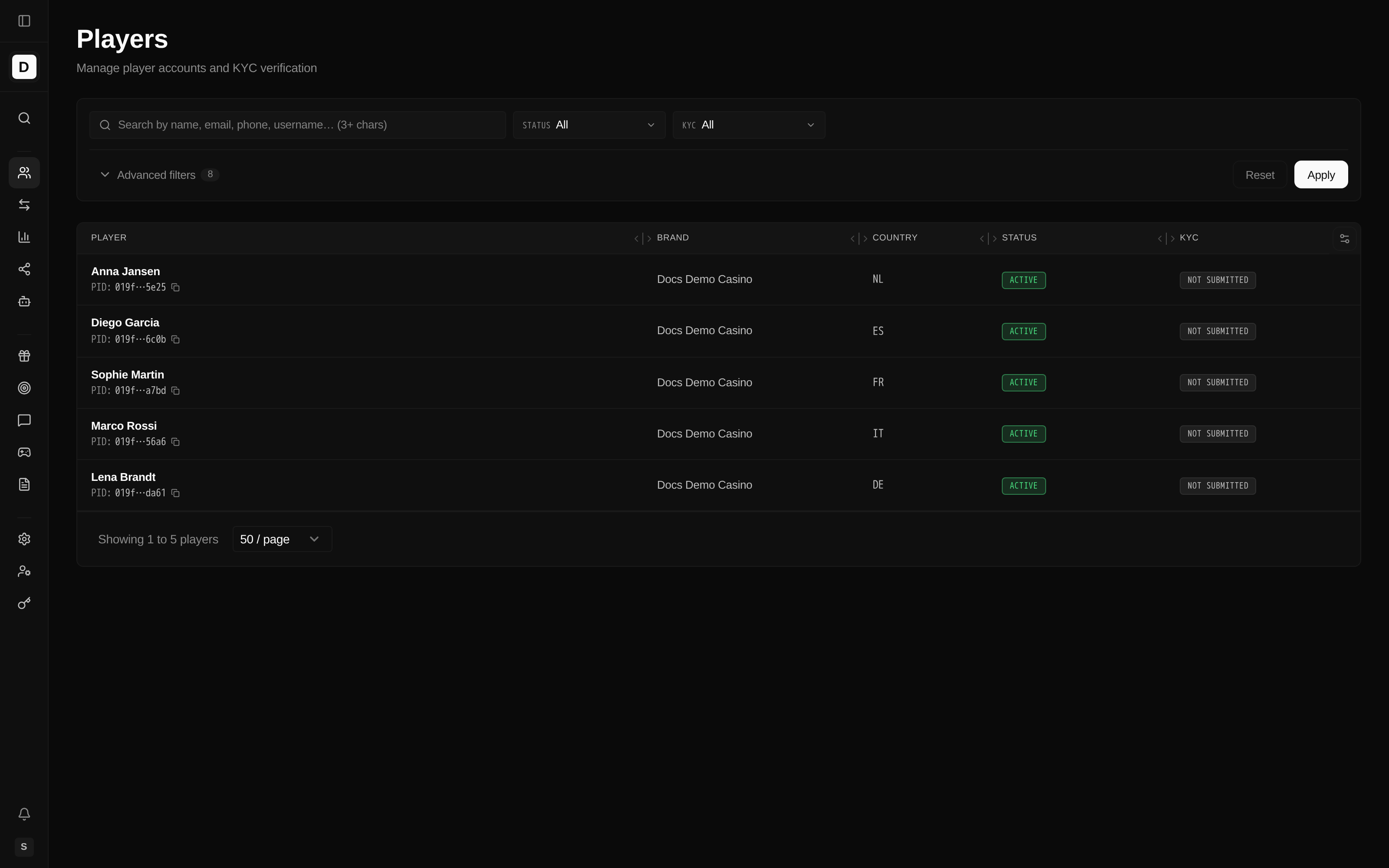
The search box matches against:
- Player name (first and last)
- Email address
- Phone number
- Username
Use this to jump straight to one player's account when you already know a detail that identifies them. Text search is a substring match and requires at least 3 characters per word. Entering a full player ID takes an exact-match fast path.
Using Filters
Know Your Customer (KYC) is the identity-verification process for a Player.
The Status and KYC filters sit next to the search box. Select the Advanced filters toggle to reveal the additional options, then choose Apply to run the filtered search. Combining filters narrows the list to the cohort you want to review — for example active players in one country who still need identity verification.
Status Filter
Filter players by account status (plus All). Use this to focus on accounts in a particular state — for example reviewing suspended accounts during a compliance check:
- Active - Players with active accounts
- Suspended - Suspended accounts (locked out entirely)
KYC Status Filter
Know Your Customer (KYC) verification is a regulatory requirement; on brands that require it for withdrawals, a player must be Verified before they can withdraw. Filter by verification status (plus All) to find the players you need to act on:
- Verified - Fully verified players
- Pending - Verification in progress or awaiting an operator decision
- Rejected - Verification rejected
Players who have never started verification show as Not Submitted in the list. The KYC filter offers Verified, Pending, and Rejected.
Date Range
Filter players by registration date to review a specific intake period — for example players who signed up during a campaign:
- Select a start date
- Select an end date
Additional Filters
Open the advanced filters to also narrow by:
- Brand
- Country
- Currency
- Tags (shows players with at least one selected tag)
- Affiliate ID
- Source (for example players acquired through the referral system)
- Referred by
- Hide test accounts (checkbox)

Tips
- Use partial matches for email searches (e.g.,
gmail) - Combine multiple filters to narrow results
- Use Reset to clear all filters and return to the full view