Player Management Overview
The Player Management section allows you to view, search, and manage player accounts in your platform.
Key Features
- Search & Filter - Find players by name, email, phone, or username, and apply advanced filters
- Player Details - View comprehensive player information
- Know Your Customer (KYC) Management - Review verification sessions and record decisions
- Account Actions - Apply restrictions, suspend accounts, and correct balances
- Transaction History - View player deposits, withdrawals, and bets
- Bonus Management - Grant or forfeit player bonuses
Accessing Players
- Click Players in the sidebar navigation
- The player list displays with search and filter options
The player list is your starting point for locating an account before opening it to review details, run account actions, or check verification.
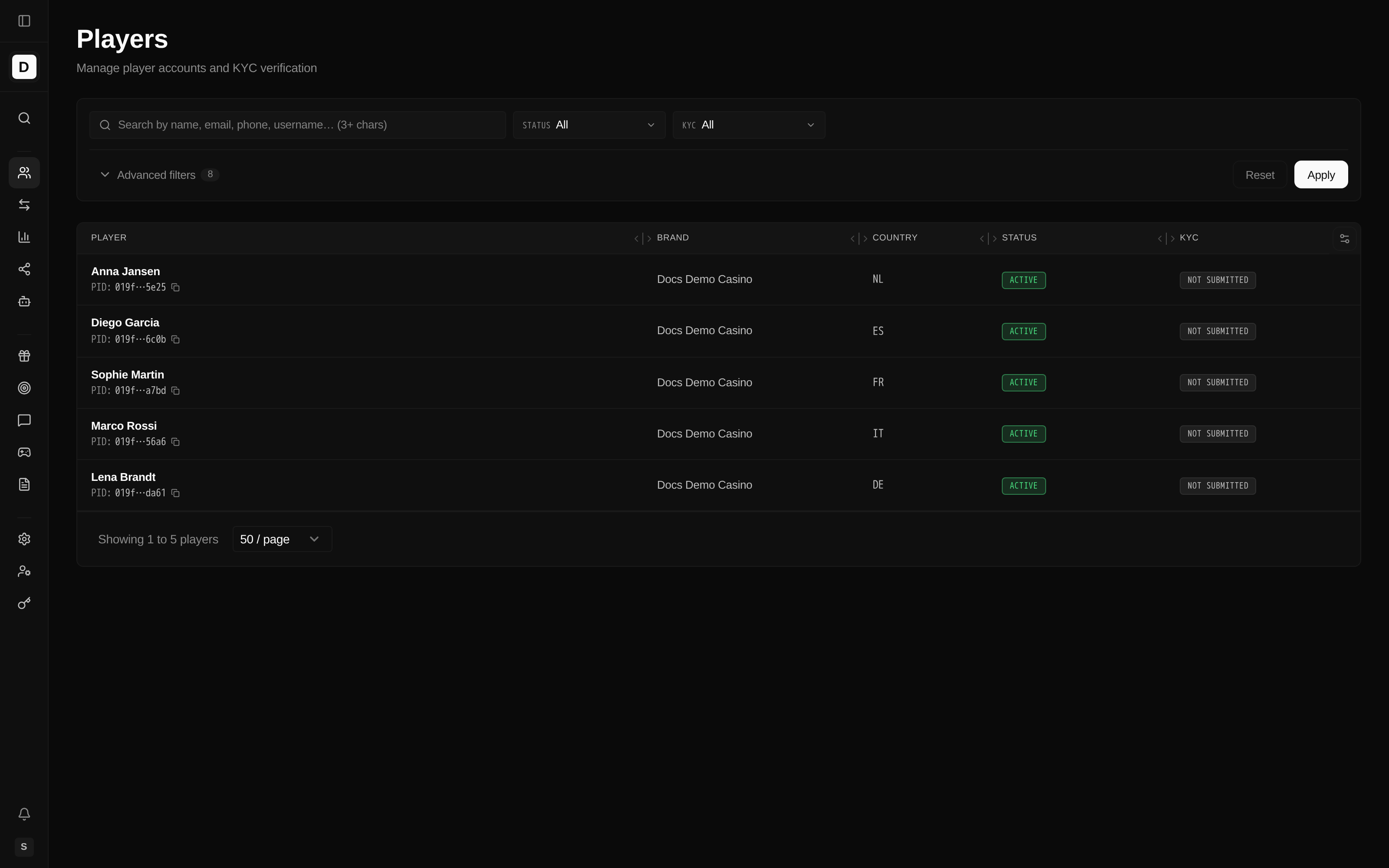
Player List Columns
| Column | Description |
|---|---|
| Player | The player's name, with the player ID shown beneath it (labelled PID) and a copy button on the ID. When no name is on file, the email is shown with a copy button instead; a username (as @username) appears when one is set |
| Brand | The player's brand |
| Country | Country code |
| Currency | Account currency (hidden by default; enable via column settings) |
| Status | Account status — Active or Suspended |
| KYC | Verification status |
| Registered | Registration date (hidden by default; enable via column settings) |
The list always shows each player's name and player ID; email and username are shown where available. A player's balance appears on the individual Player Details page.
Advanced Filters
The players list supports these filters (see Search Players for details):
- Status and KYC (primary filters, always shown above the list)
- Brand(s)
- Registration date range
- Country and Currency
- Tags (players with at least one selected tag)
- Affiliate ID
- Source (e.g. Referral System)
- Referred by
- Hide test accounts toggle
Quick Actions
From the player list, you can:
- Click a row to view full player details
- Use filters to narrow down results