Player Details
The Player Details page provides comprehensive information about a specific player.
Accessing Player Details
- Navigate to Players in the sidebar
- Search for the player
- Click on the player row to open their details
Information Sections
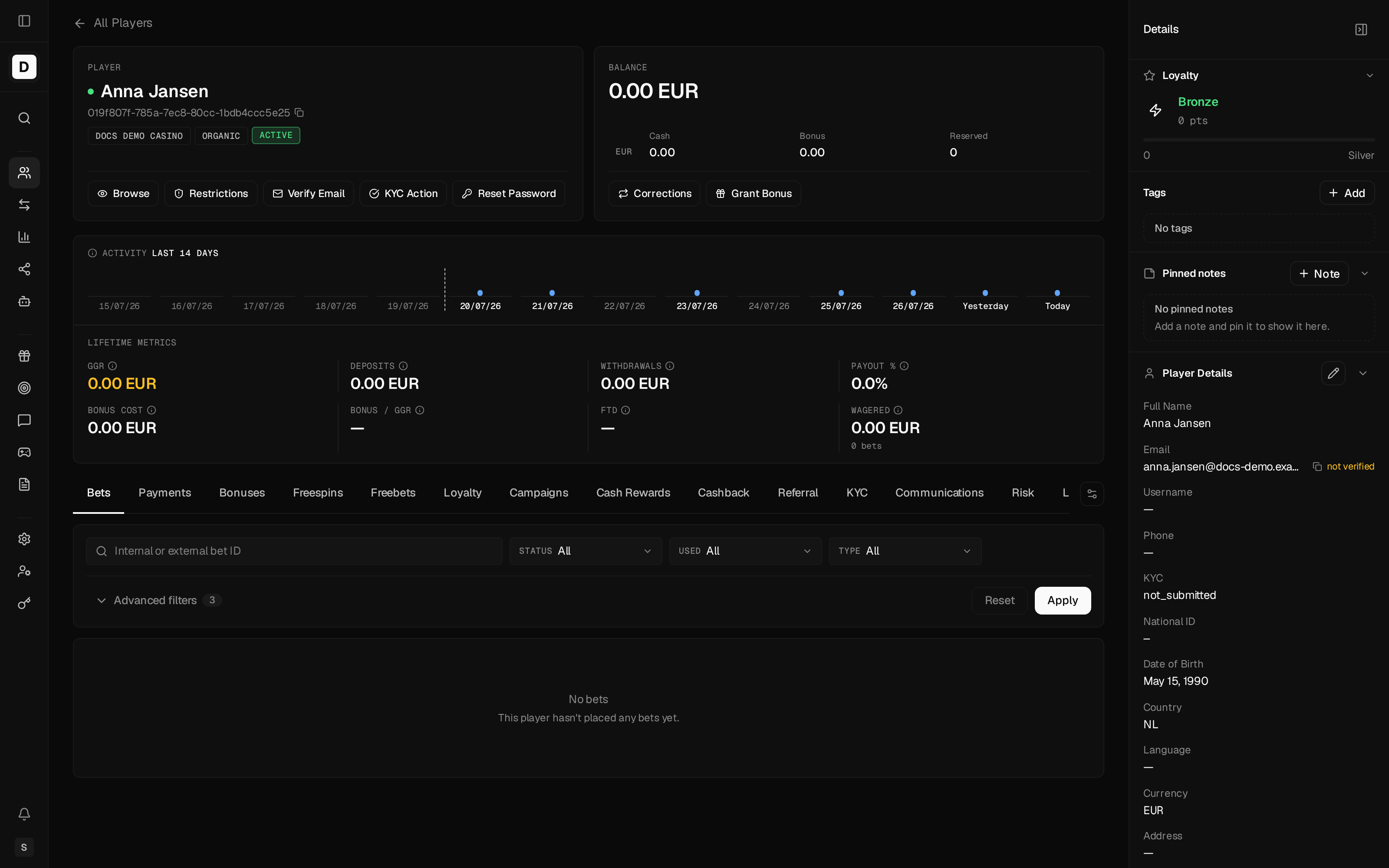
Personal Information
Displays the player's profile data:
- Full name
- Email address
- Phone number
- Date of birth
- Address
- Registration date
Account Status
Know Your Customer (KYC) is the identity-verification process for a Player.
Shows the current account state:
- Status - Active or Suspended
- KYC - Identity-verification level
- Restrictions - Any active deposit / withdrawal / game-activity locks
Wallet Information
Displays balance information:
- Balance - Combined headline balance
- Cash - Real money balance
- Bonus - Active bonus funds
- Reserved - Funds held against open reservations
The card also shows a wagering-requirement summary with a progress bar. When the player's currency differs from the operator's reporting currency, an operator-currency balance is shown with a foreign-exchange (FX) rate tooltip (and a fallback indicator if no rate is available). All amounts are displayed as formatted currency strings.
Tabs
The player details page has 15 tabs. Tab order and visibility are customizable per operator/user. Bets is the always-present default tab, and some tabs are visible only to operators with the matching permission:
| Tab | Contents |
|---|---|
| Bets | Betting history (game, bet, win, status, timestamp) |
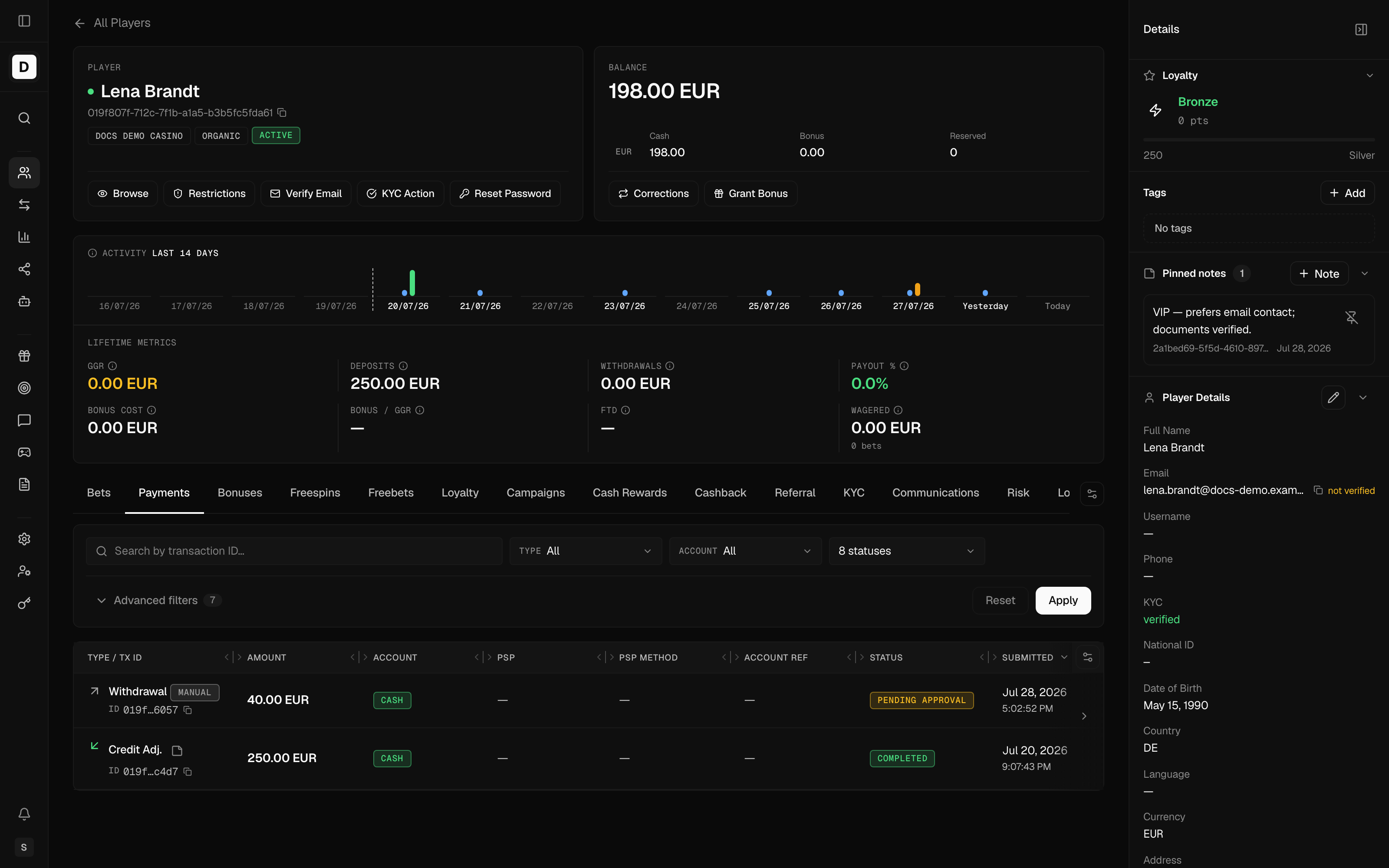
| Payments | Financial transactions — deposits, withdrawals, and adjustments (visible only to operators permitted to view transactions) |
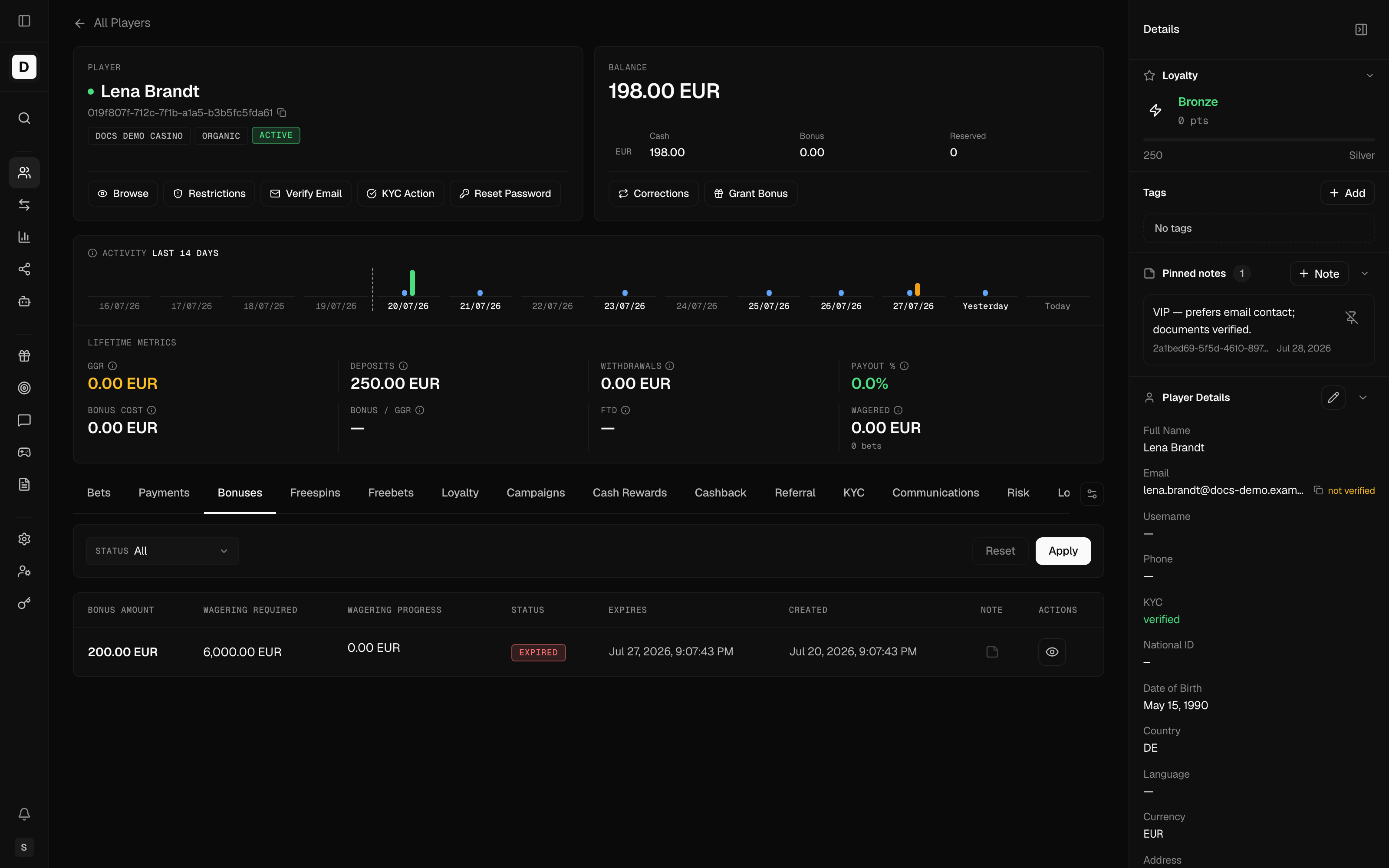
| Bonuses | Active bonuses, bonus history, and wagering progress |
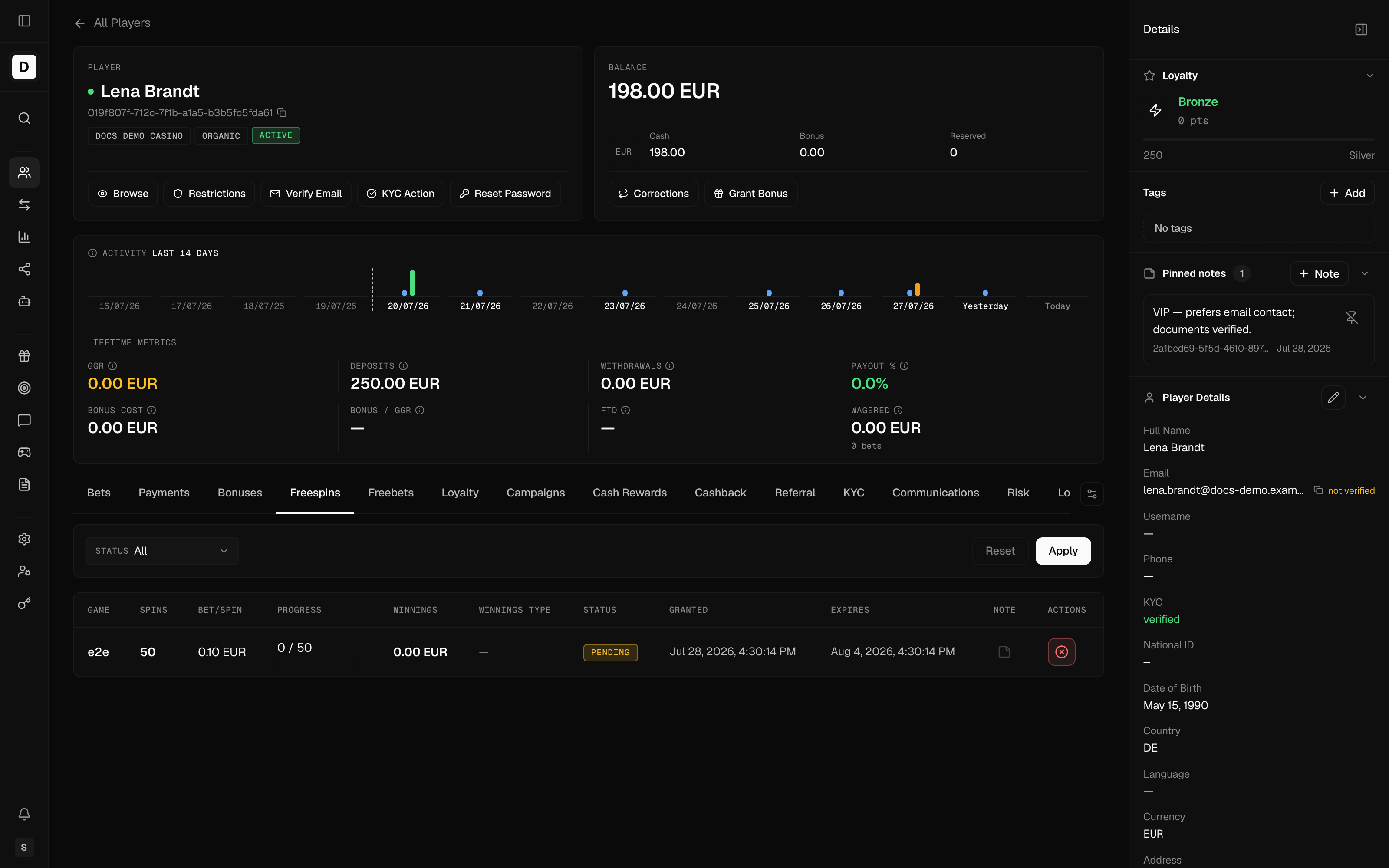
| Freespins | Free-spin grants and their status |
| Freebets | Free-bet grants and their status |
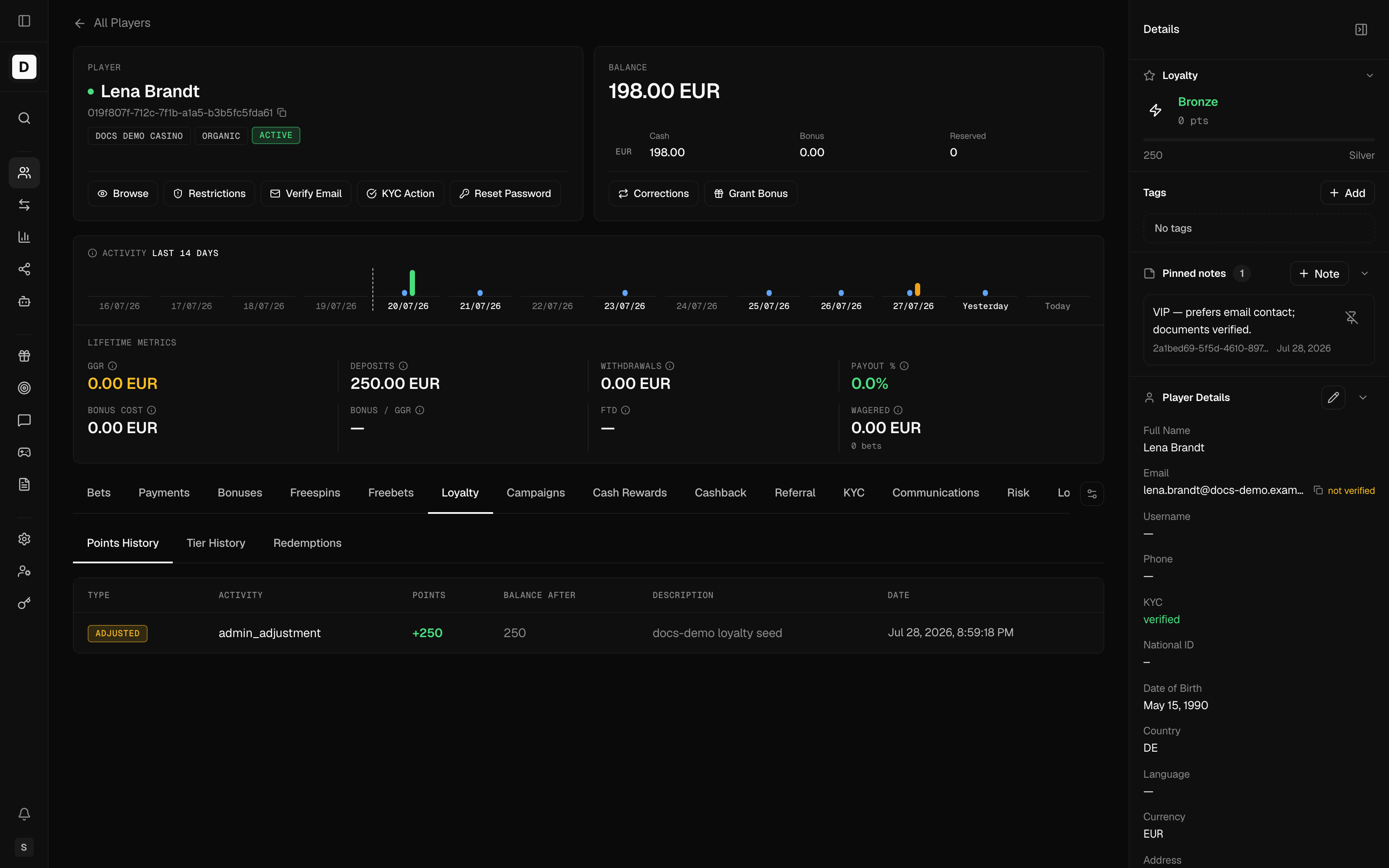
| Loyalty | Loyalty program membership, tier, and points |
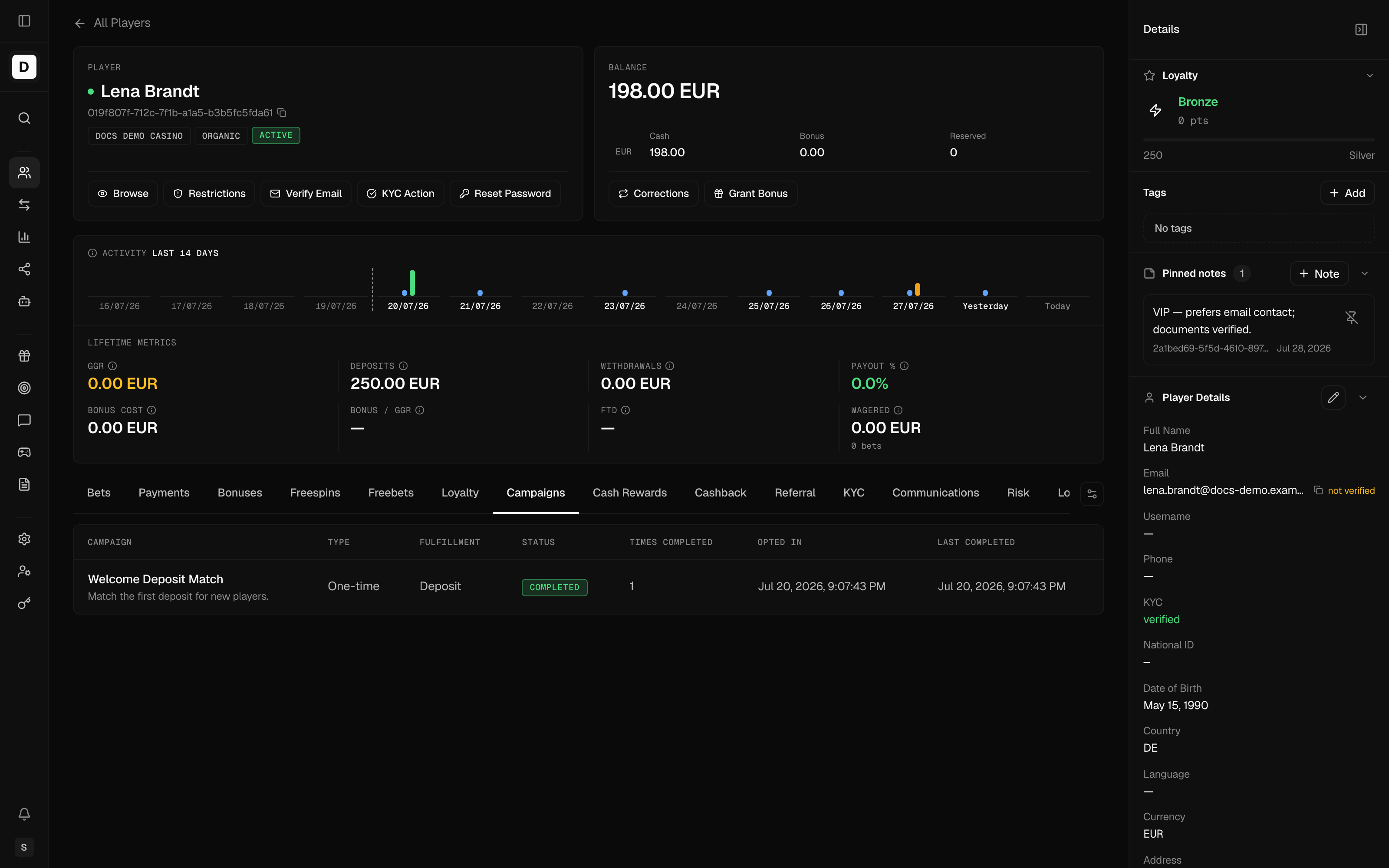
| Campaigns | Campaigns the player is enrolled in |
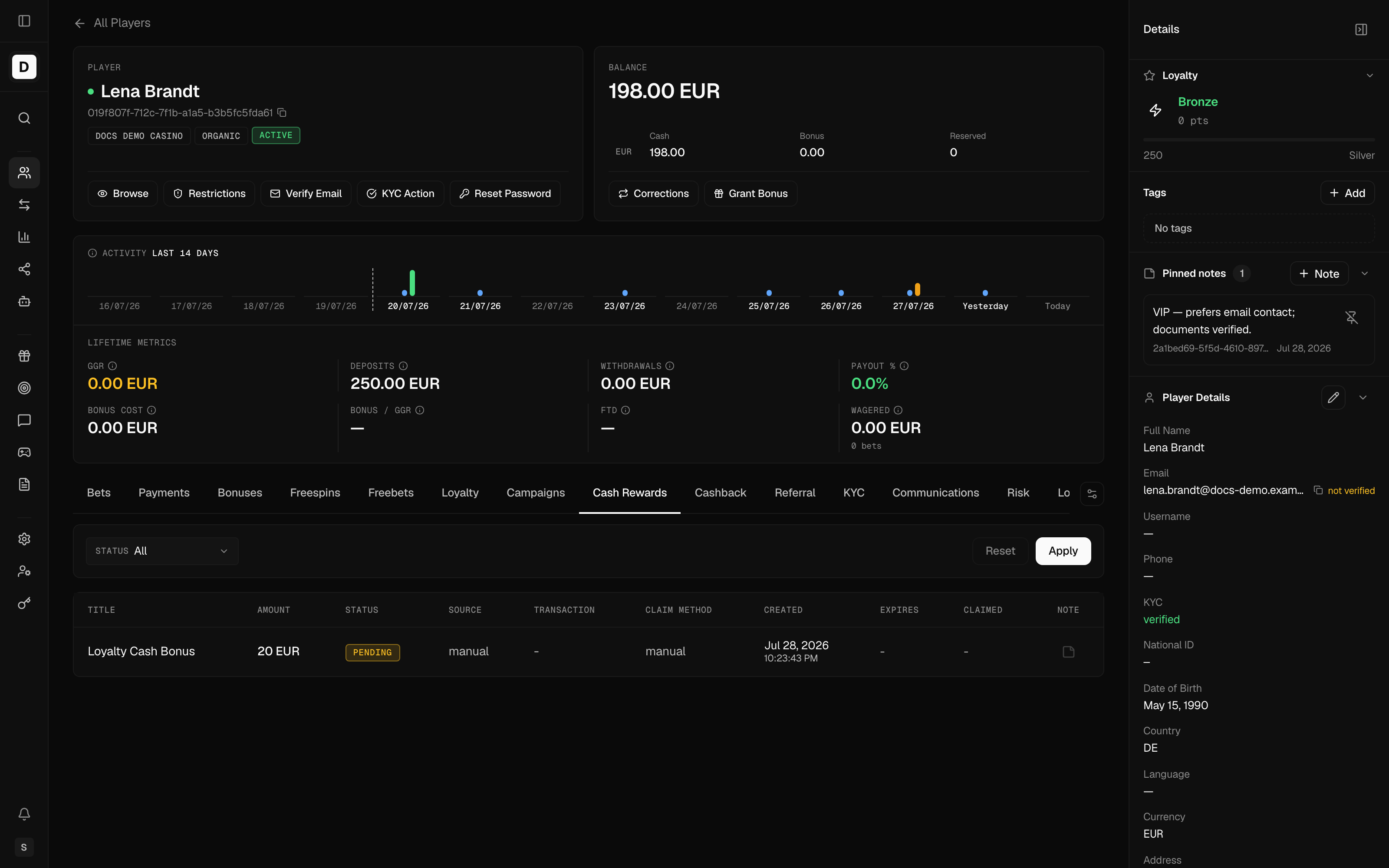
| Cash Rewards | Cash-reward grants |
| Cashback | Cashback accrual and payouts |
| Referral | The player's referral network, commission accruals, and commission payouts |
| KYC | Provider verification sessions and operator decisions (see KYC Verification) |
| Communications | Per-channel/per-purpose communication preferences and delivery history |
| Risk | Anti-fraud decision history (visible only to operators with the risk-review permission) |
| Logs | Audit/activity log for the player |
| Notes | Operator notes on the player (visible only to operators with the notes permission) |
Financial transactions — deposits, withdrawals, and adjustments — live under the Payments tab. Identity verification is handled through the KYC tab as provider-based verification sessions (see the KYC Verification page).
Example Activity Tabs
Each tab presents that domain's records for the player in a consistent, filterable table. A few examples:
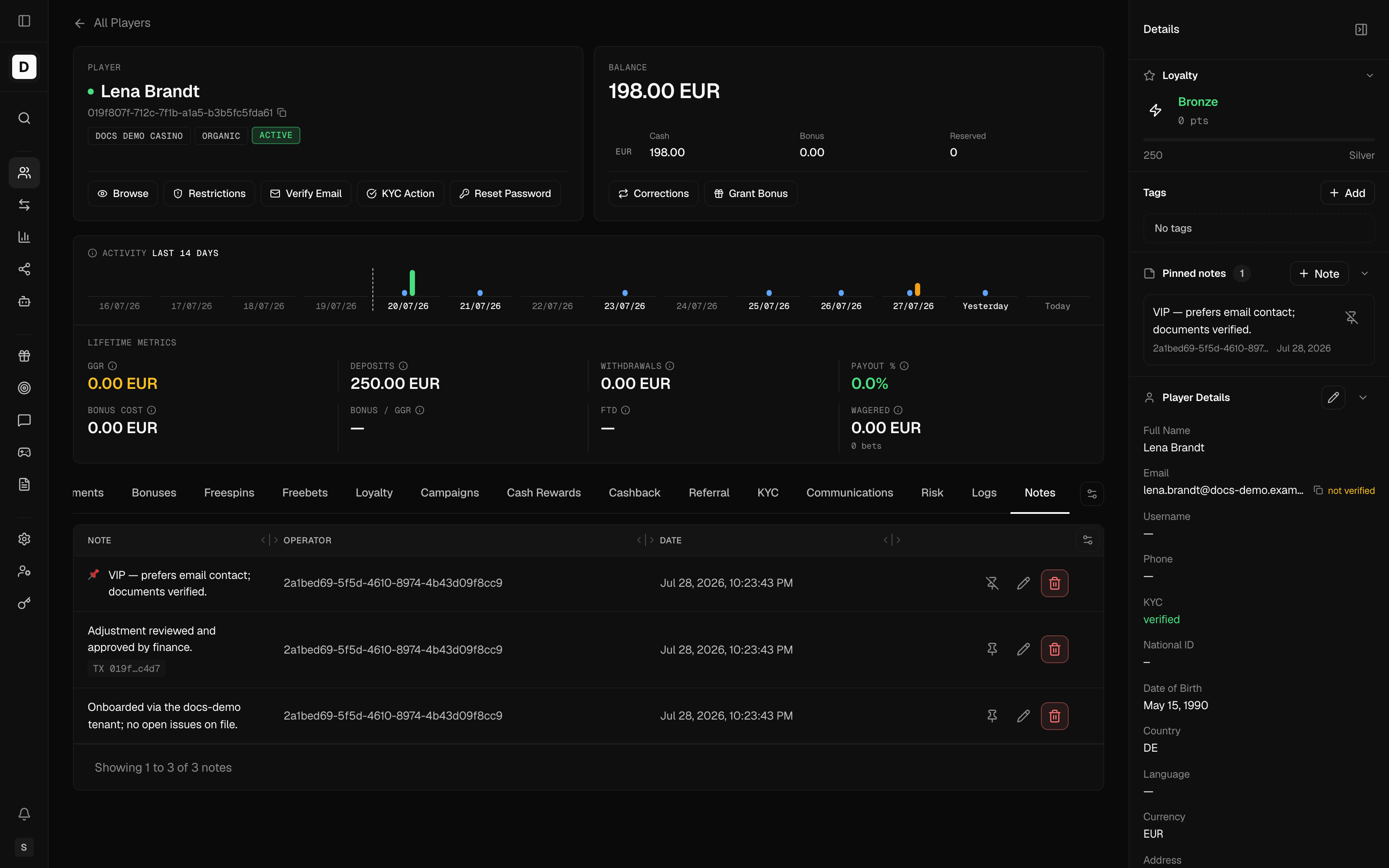
Referral Tab
The Referral tab shows how the player fits into the operator's referral program, across three sub-tabs:
- Network - The player's commission balance and downline size, who referred them (upline), and the members they have referred (downline), with each member's level, join date, and active status.
- Accruals - Commission the player has earned per reporting period, including the open and awaiting-close periods and a lifetime total, with the activity base and model behind each amount.
- Payouts - Commission payments made to the player, with the date, destination (cash wallet or bonus), and amount.
Communications Tab
A One-Time Password (OTP) is a single-use code used to confirm an action. Operators can view and override the player's communication preferences per channel (email, SMS) and per purpose, and review delivery history. This includes OTP email subscription state; a bounce reported by the email provider auto-unsubscribes the address.
Risk Tab
The Risk tab surfaces the player's anti-fraud decision history — accept / reject / review outcomes per source event and provider — from the platform's risk-assessment capability. It is visible only to operators with the risk-review permission.
Player Actions
Restrictions & Suspension
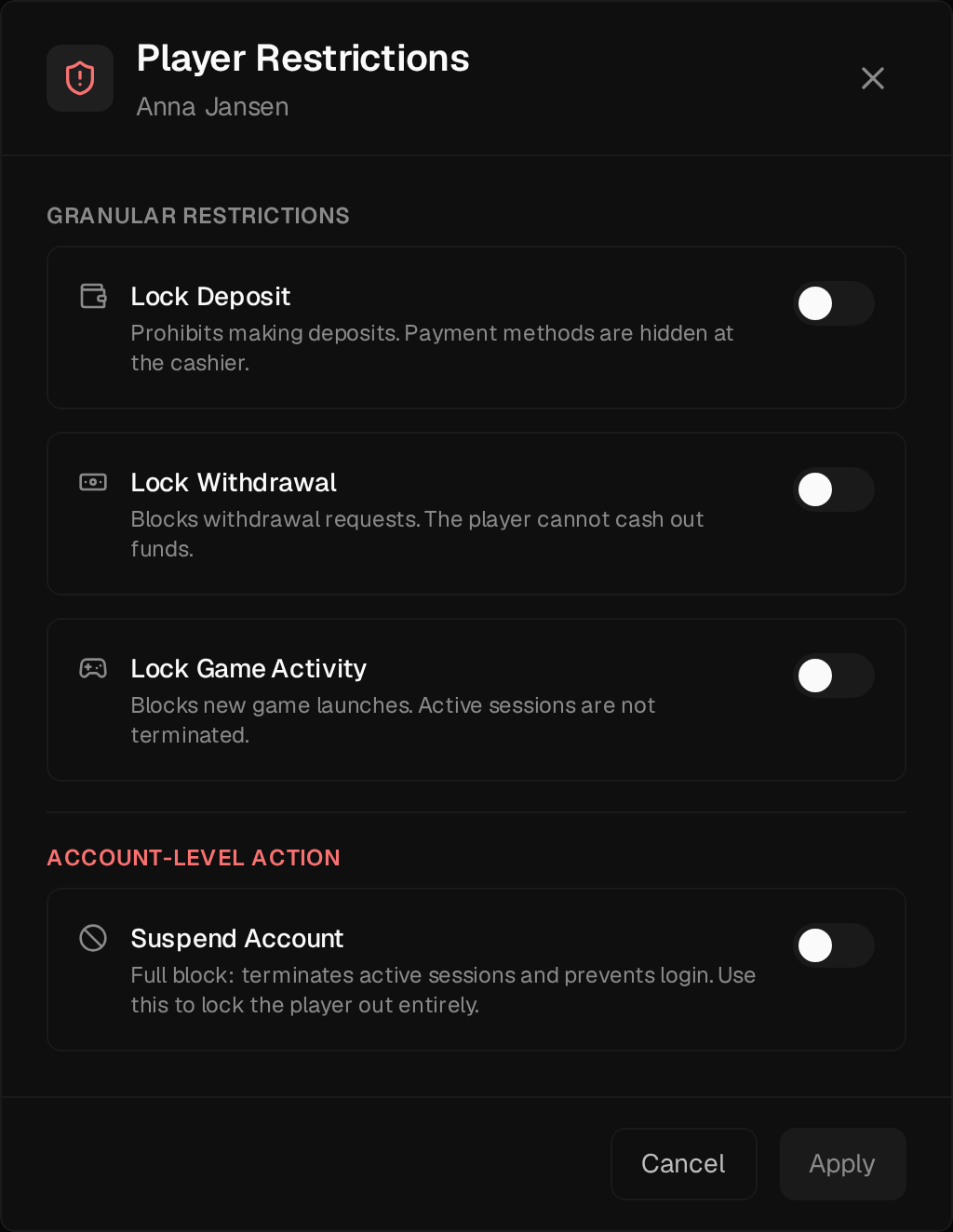
Click Restrictions to open the restrictions modal. These are indefinite operator-set locks: use them to freeze an account under a fraud or compliance investigation, or to honor a player's request to restrict their own account. The modal offers granular toggles plus an account-level suspend:
- Lock Deposit - Hides payment methods at the cashier; the player cannot deposit
- Lock Withdrawal - Blocks withdrawal requests; the player cannot cash out
- Lock Game Activity - Blocks new game launches (active sessions are not terminated)
- Suspend Account - Full block: terminates active sessions and prevents login
The three locks are independent of the account status — an Active player can have one or more locks set. Suspend and reactivate are toggled here (the Suspend Account toggle), not through separate Suspend/Activate menu items. Changes take effect immediately and are confirmed on a second step.
Balance Corrections
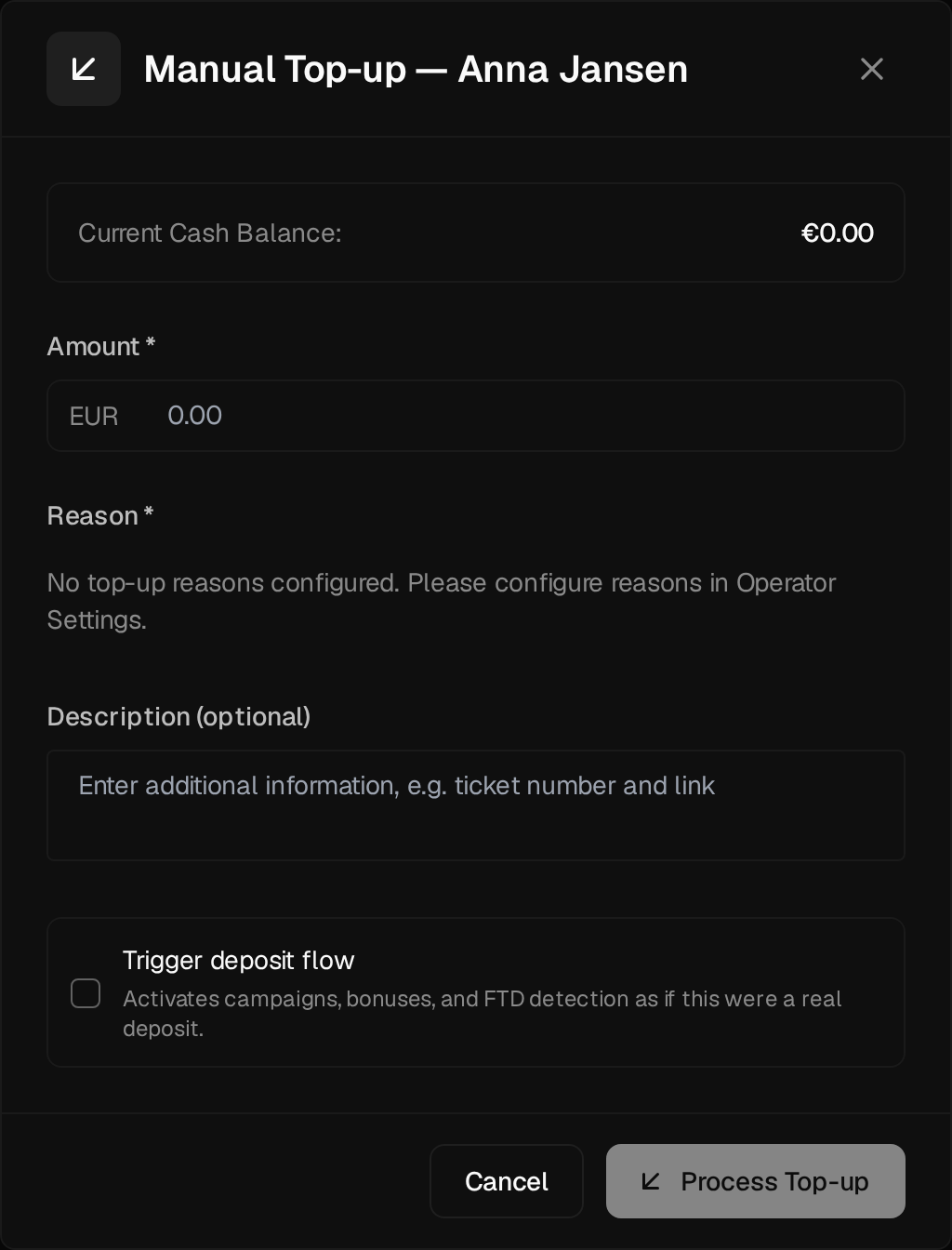
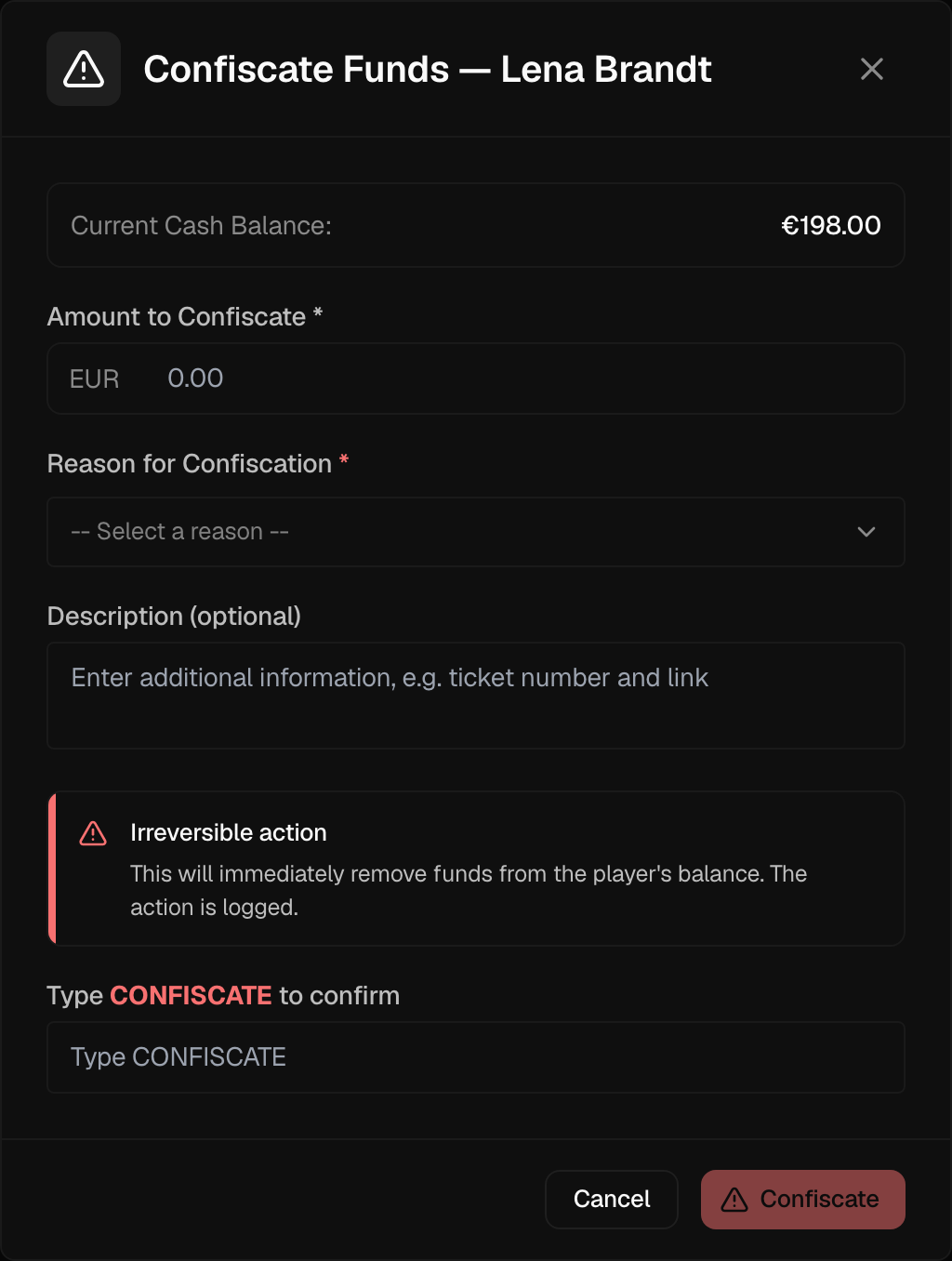
Balance corrections keep the player's balance accurate — for example crediting a goodwill amount or removing funds credited in error — and every correction is logged and audited. They live under the Corrections dropdown, available to operators permitted to adjust balances:
- Manual Top-up - Credit real money to the player's wallet
- Confiscate Funds - Remove funds from the player's wallet
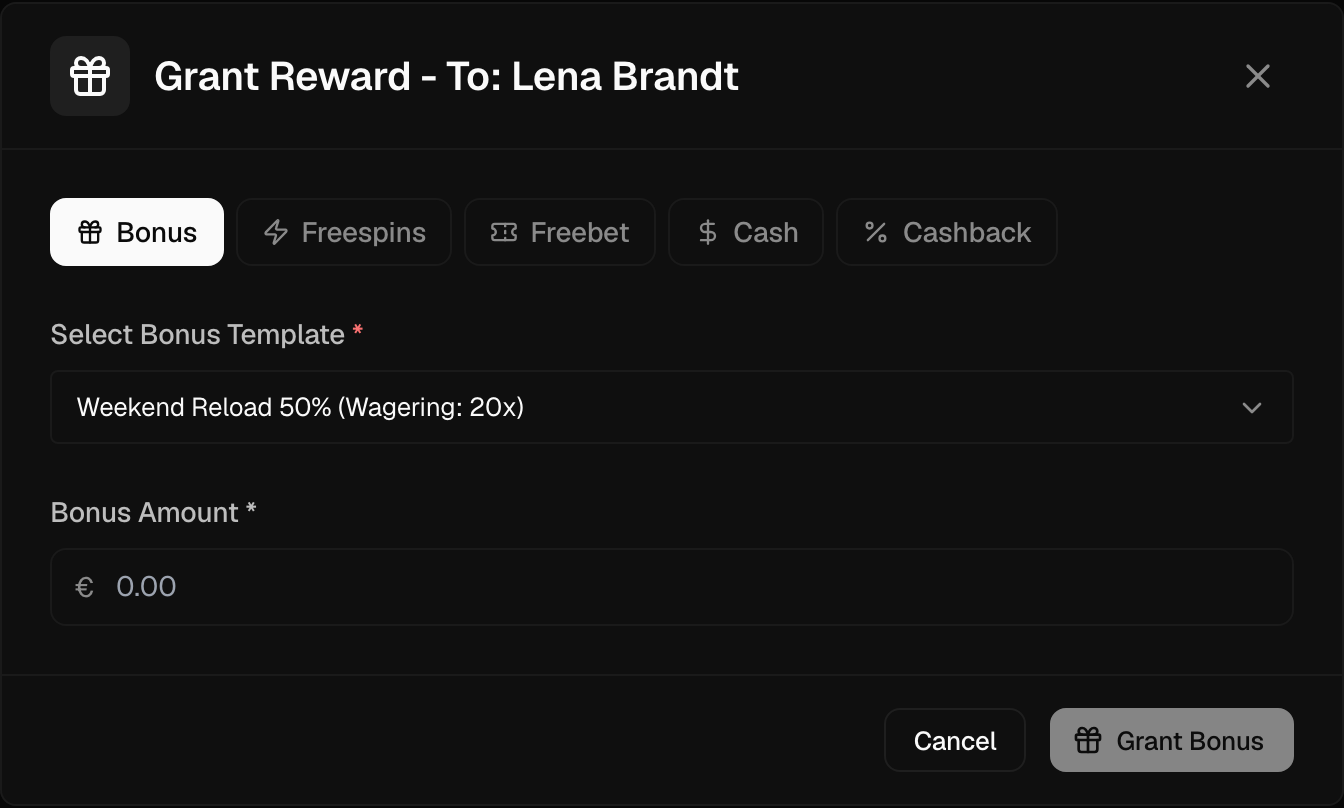
A separate Grant Bonus button, available to operators permitted to grant rewards, issues a bonus.
Corrections are logged and audited. Always provide a valid reason.
Other Actions
Depending on your permissions, the profile also offers:
- Verify Email - Manually mark the player's email as verified
- Verify Phone - Manually mark the player's phone as verified
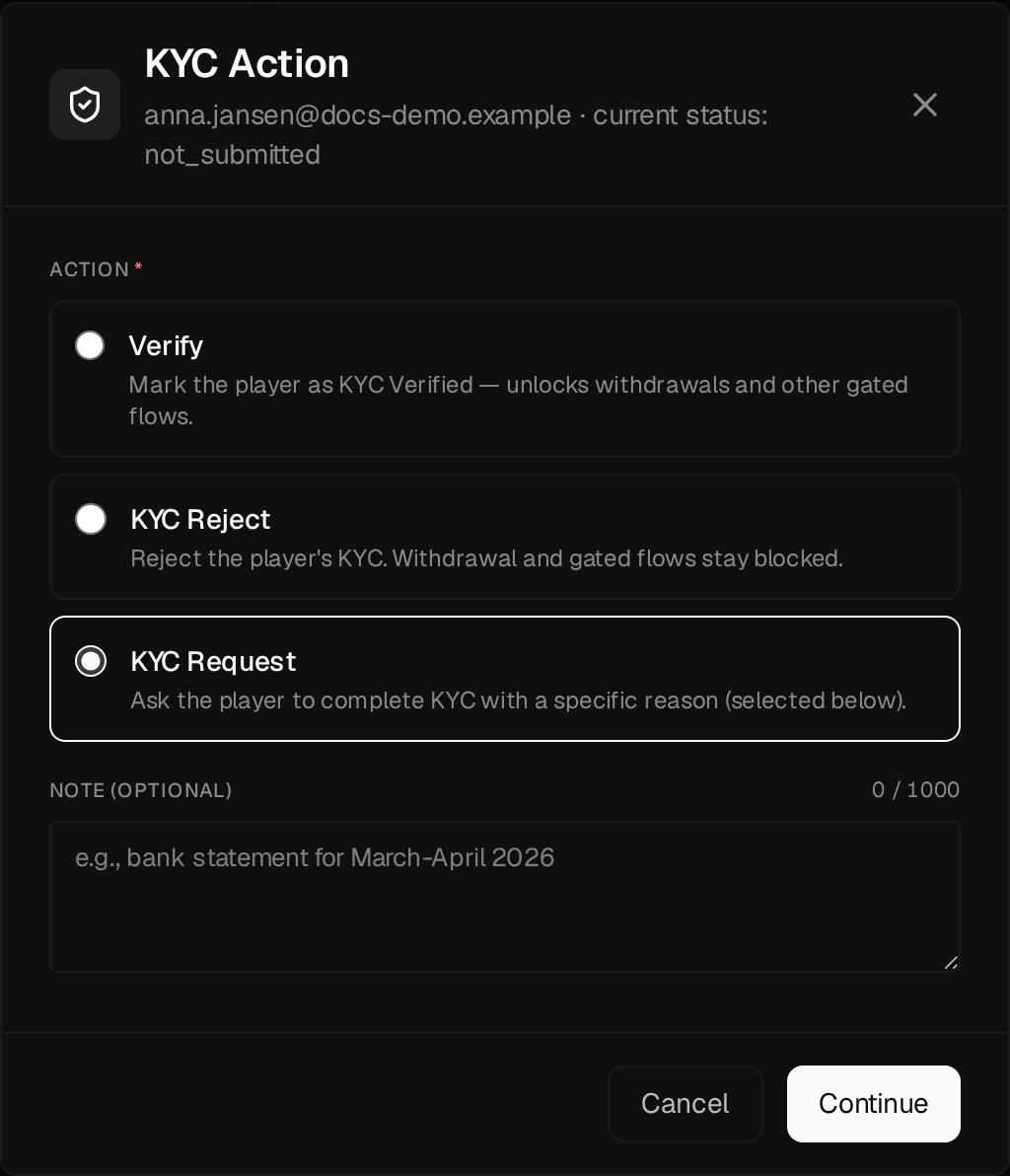
- KYC Action - Open the KYC decision modal (Verify / KYC Reject / KYC Request). Identity verification is a regulatory (Know Your Customer) requirement; on brands that require verification for withdrawals, a player must reach Verified status before they can withdraw.
- Browse - Impersonate the player to view the site as they see it