Know Your Customer Verification
Know Your Customer (KYC) verification is essential for regulatory compliance. On this platform, identity verification is handled by an external provider (Identomat) — operators do not upload or approve/reject individual documents. Instead, the provider runs a verification session through a widget, and the operator records a player-level decision.
KYC Status Levels
| Status | Description |
|---|---|
| Not Submitted | The player has not started verification |
| KYC Requested | An operator has asked the player to complete KYC |
| Pending Approval | The provider completed the session and it awaits an operator/auto decision |
| Verified | The player is verified — unlocks withdrawals and other gated flows |
| Rejected | Verification was rejected — gated flows stay blocked |
"KYC Requested" and "Pending Approval" are sub-states of the overall Pending status.
How Verification Works
- An operator initiates verification via KYC Request (or the player starts it themselves). The player receives a link to the provider widget.
- The player completes the provider session, which captures the document, a face-similarity check, a liveness check, and person data.
- When the provider returns a result:
- Under auto-verify brand mode, an approved result marks the player Verified automatically.
- Under manual-review brand mode, an approved result lands in Pending Approval for an operator decision.
- A rejected result marks the player Rejected.
Provider Sessions
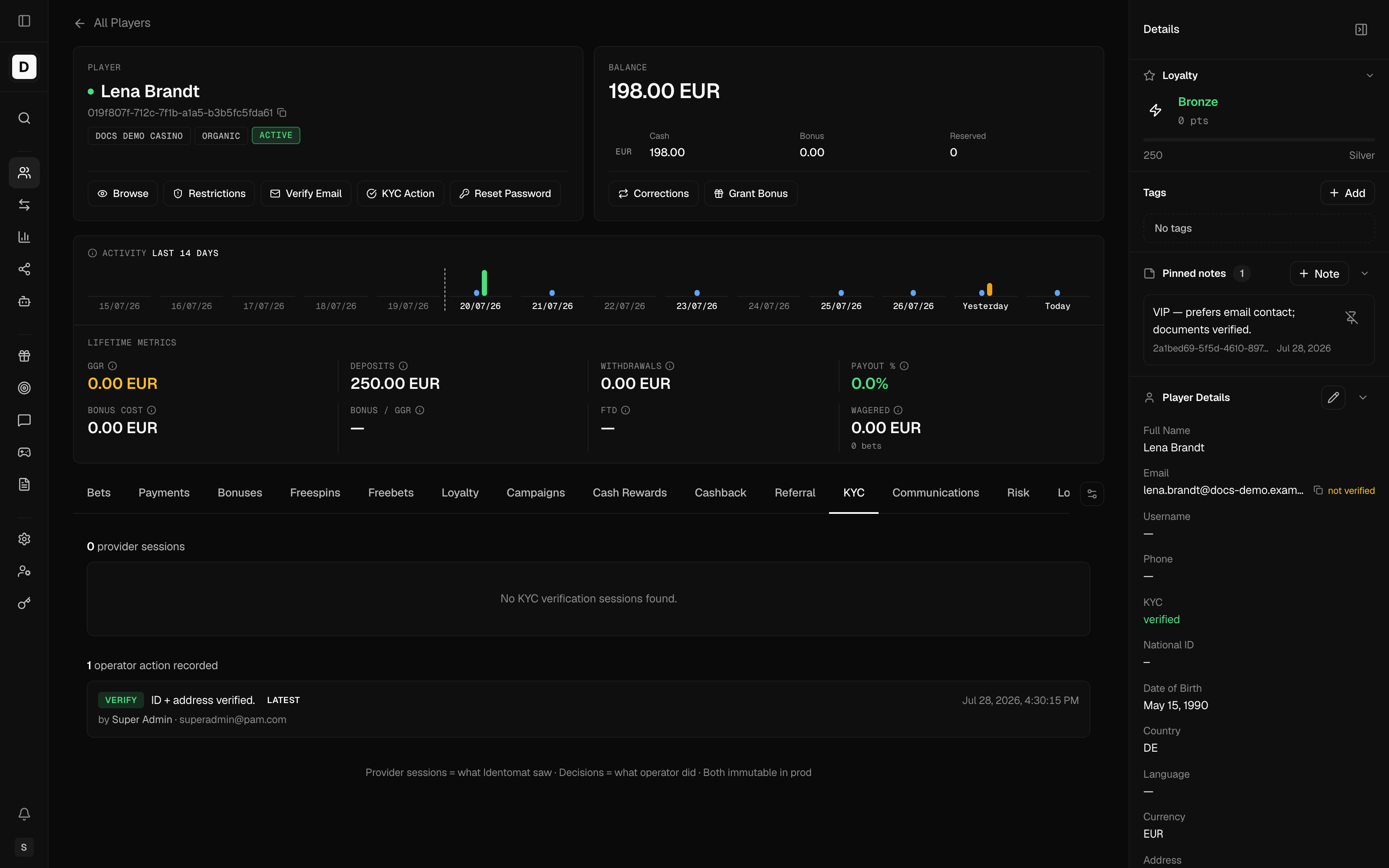
The KYC tab in player details lists the provider verification sessions. For each session you can see:
- Status and result
- Document type
- Face similarity score
- Liveness (pass / fail)
- Person data captured by the provider (name, DOB, document number, nationality, expiry)
- Any provider error codes
The provider sessions represent "what Identomat saw" and are a permanent record that cannot be edited.
Operator Decisions
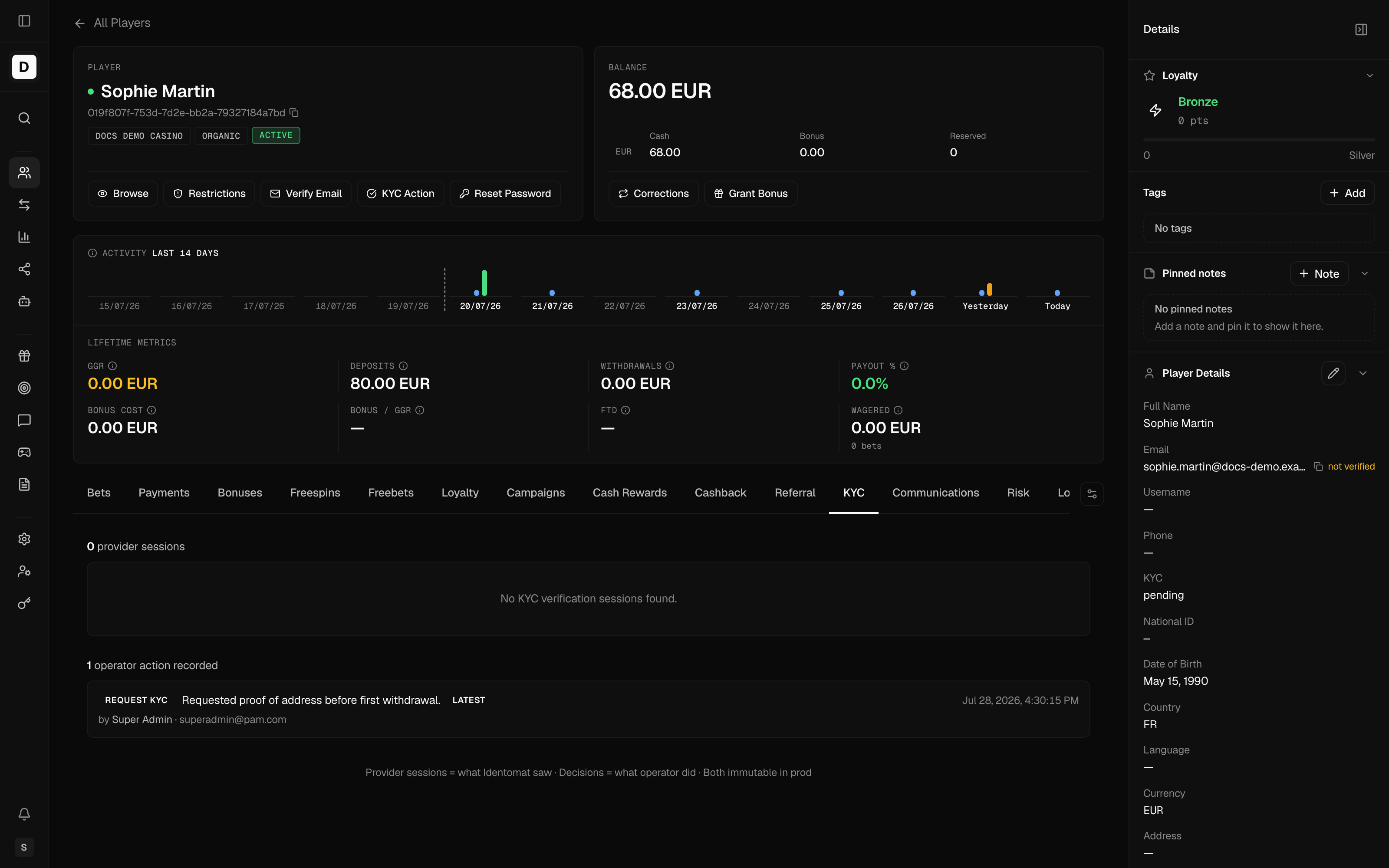
From player details, click KYC Action to open the decision modal. The operator can take one of three actions (recorded immutably in the KYC tab):
| Action | Effect |
|---|---|
| Verify | Marks the player KYC Verified — unlocks withdrawals and gated flows |
| KYC Reject | Rejects the player's KYC — gated flows stay blocked |
| KYC Request | Asks the player to complete KYC (with a reason) |
Each action can carry a reason and an optional free-text note (up to 1000 characters).
Reasons
Reasons are not a fixed list. They are configured per brand and scoped per action type (request / verify / reject). When you pick an action, the modal loads the reasons configured for that action on the player's brand; if any are configured, a reason is required. The note is always optional.
Reviewing Pending Verifications
- Go to Players in the sidebar
- Filter by KYC Status: Pending
- Click a player to open their profile, then open the KYC tab
- Review the provider sessions, then click KYC Action to Verify, Reject, or Request
Verification Workflow
Operator: KYC Request  (or player self-starts)
       ↓
Player completes provider session (Identomat)
       ↓
Provider returns result
       ↓
    ┌──────────┴──────────┐
 Approved              Rejected
    ↓                      ↓
auto-verify? ──yes──▶ Verified
    │ no                   ↓
    ▼                  Rejected
Pending Approval
    ↓
Operator: Verify / Reject
Best Practices
- Review promptly - Review pending verifications promptly
- Be consistent - Apply the same standards to all players
- Record reasons - Select a clear reason and add a note for reject/request decisions
- Escalate concerns - Report suspicious sessions to compliance
- Protect privacy - Handle provider-captured person data appropriately
Use the search filters to prioritize high-value players or those waiting longest for verification.
Decisions cannot be undone — a correction requires a new KYC action.