Audit Logs
The audit log records administrative actions taken across the platform so you can review who did what, when, and from where.
Accessing Audit Logs
Open Audit under the Settings section of the sidebar. A clear record of who changed what, and when, supports security oversight and accountability across operator accounts. Access follows your role: your role must allow you to view the audit log to open this screen, and exporting is a separate permission that some roles may not have.
What's Recorded
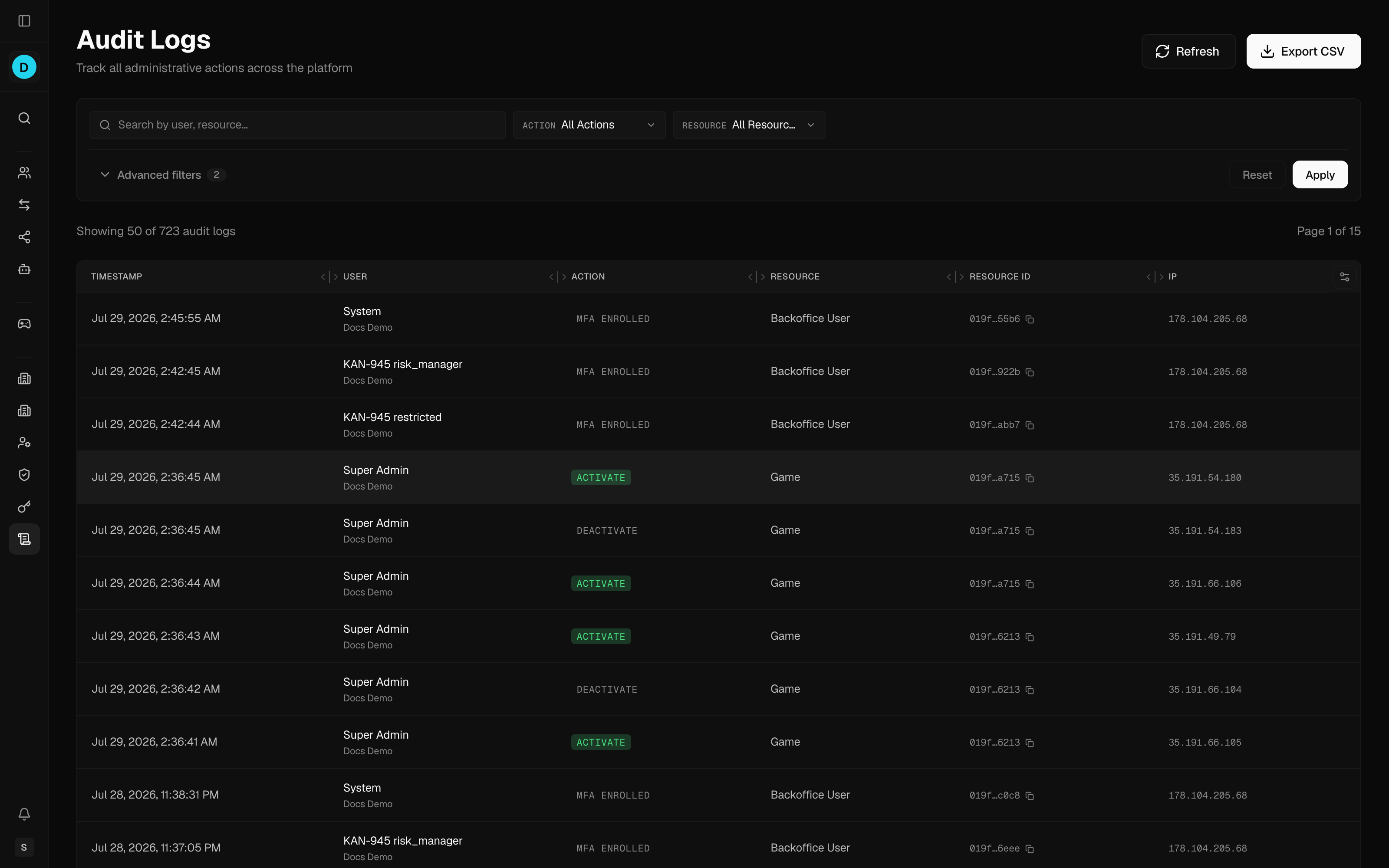
Each entry captures:
| Column | Description |
|---|---|
| Timestamp | When the action occurred |
| User | The acting user (email/name), with their operator shown beneath; system-initiated actions show "System" |
| Action | The action performed (e.g. create, update, delete, approve, grant, revoke, login, export) |
| Resource | The type of entity affected |
| Resource ID | The affected entity's identifier, which you can copy from the row |
| IP | The Internet Protocol (IP) address the action came from |
Select any row to open its full record. The detail view shows the before and after values, the list of changed fields, the operator and brand the action applied to, the browser or client used, and any extra metadata captured for that action.
Filtering
Narrow a busy log down to a specific person, action, or time window when you are investigating an incident or answering a compliance query. Use the filter bar:
- Search — free-text search by user or resource
- Action — filter to a specific action type (the available actions adapt to the selected resource)
- Resource — filter to a resource type
- User — filter to a specific user
- Date — a start/end date-time range
Click Apply to run the filters, or Reset to clear them all. Results are paginated.
Exporting
Export a filtered slice of the log for offline record-keeping or to share with a compliance or audit reviewer. Click Export CSV to download the current log as a Comma-Separated Values (CSV) file. The export honours the active action, resource, user, and date filters.